
Create a General Job Opening
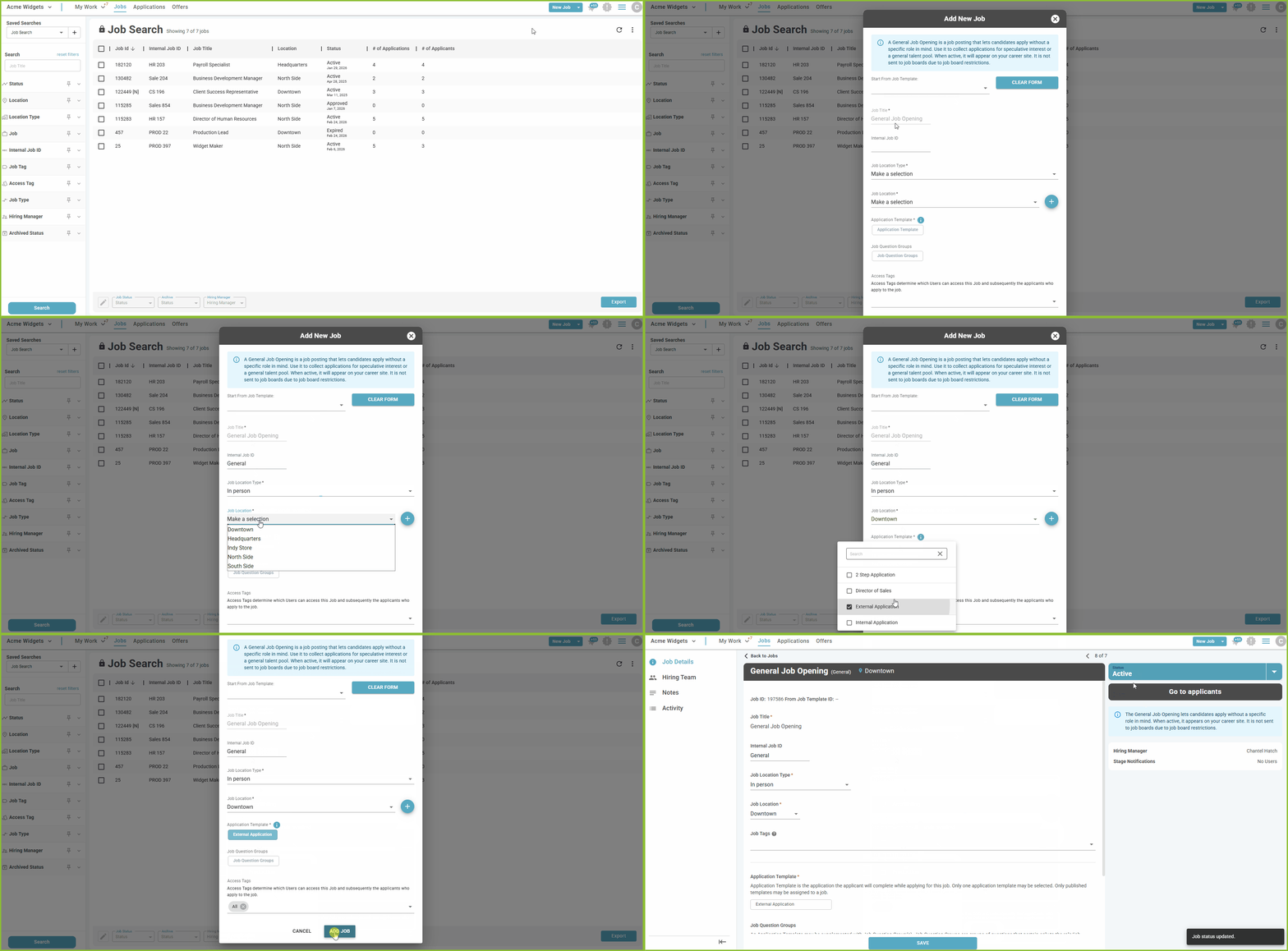
- Click the dropdown arrow next to the New Job button.
- Select General Job Opening.

- Complete available fields:
- Internal Job ID
- Job Location Type
- Job Location
- Application Template
- Job Question Groups
- Access Tags
- Click ADD JOB.
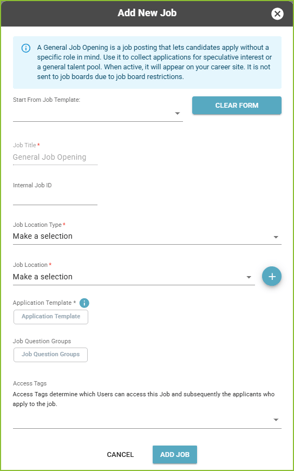
Please Note: If a General Job Opening already exists, you’ll be directed to the existing job’s detail page instead of creating another General Job Opening.
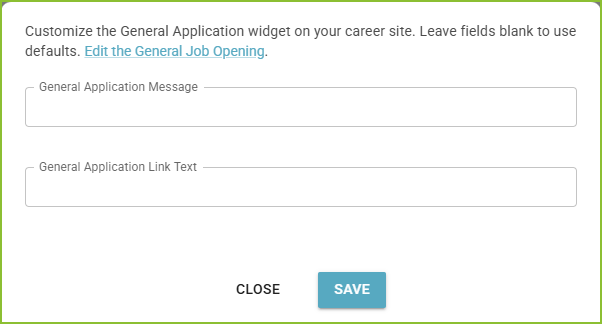
Customize the General Application Widget on the External Career Site
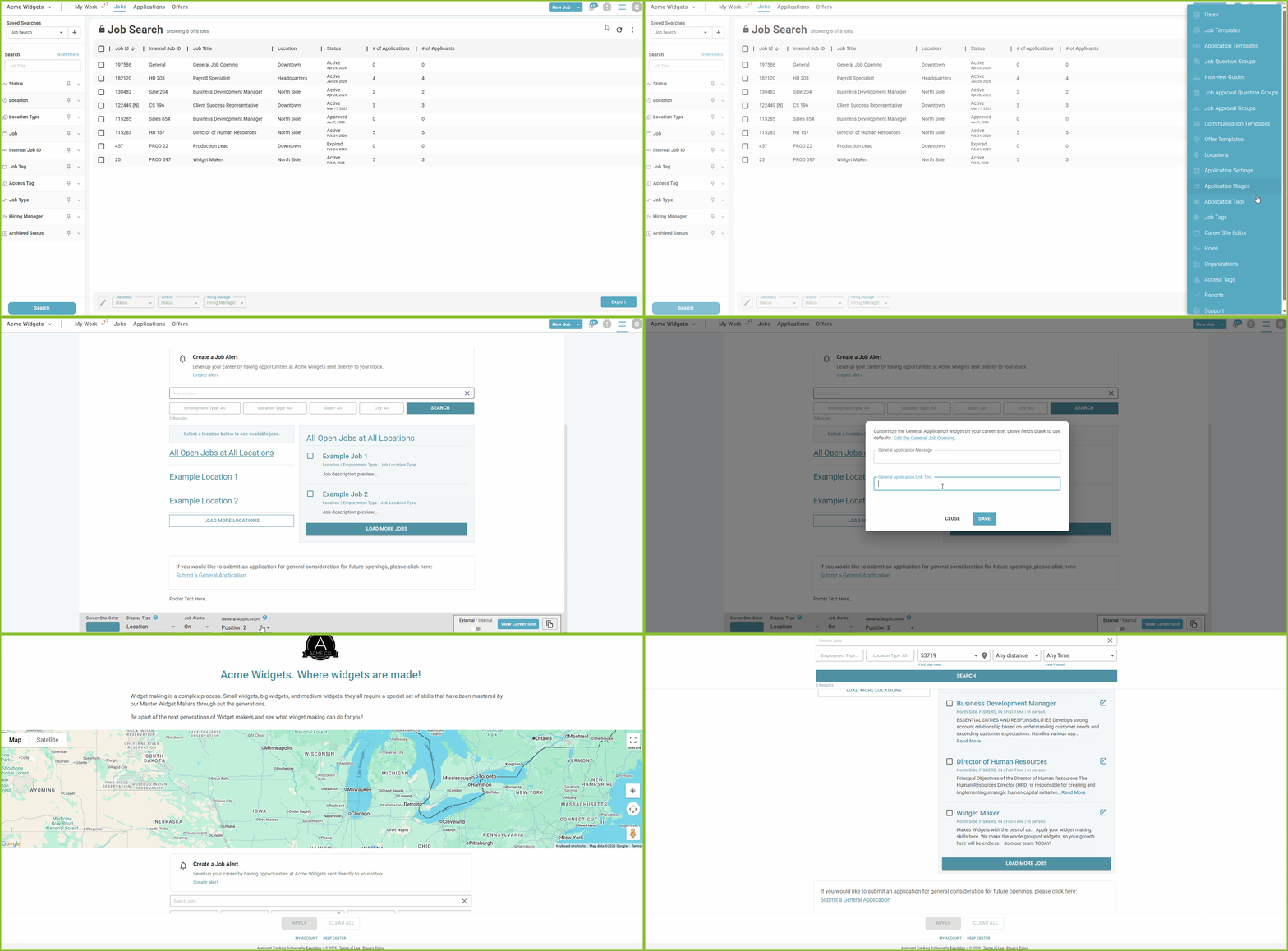
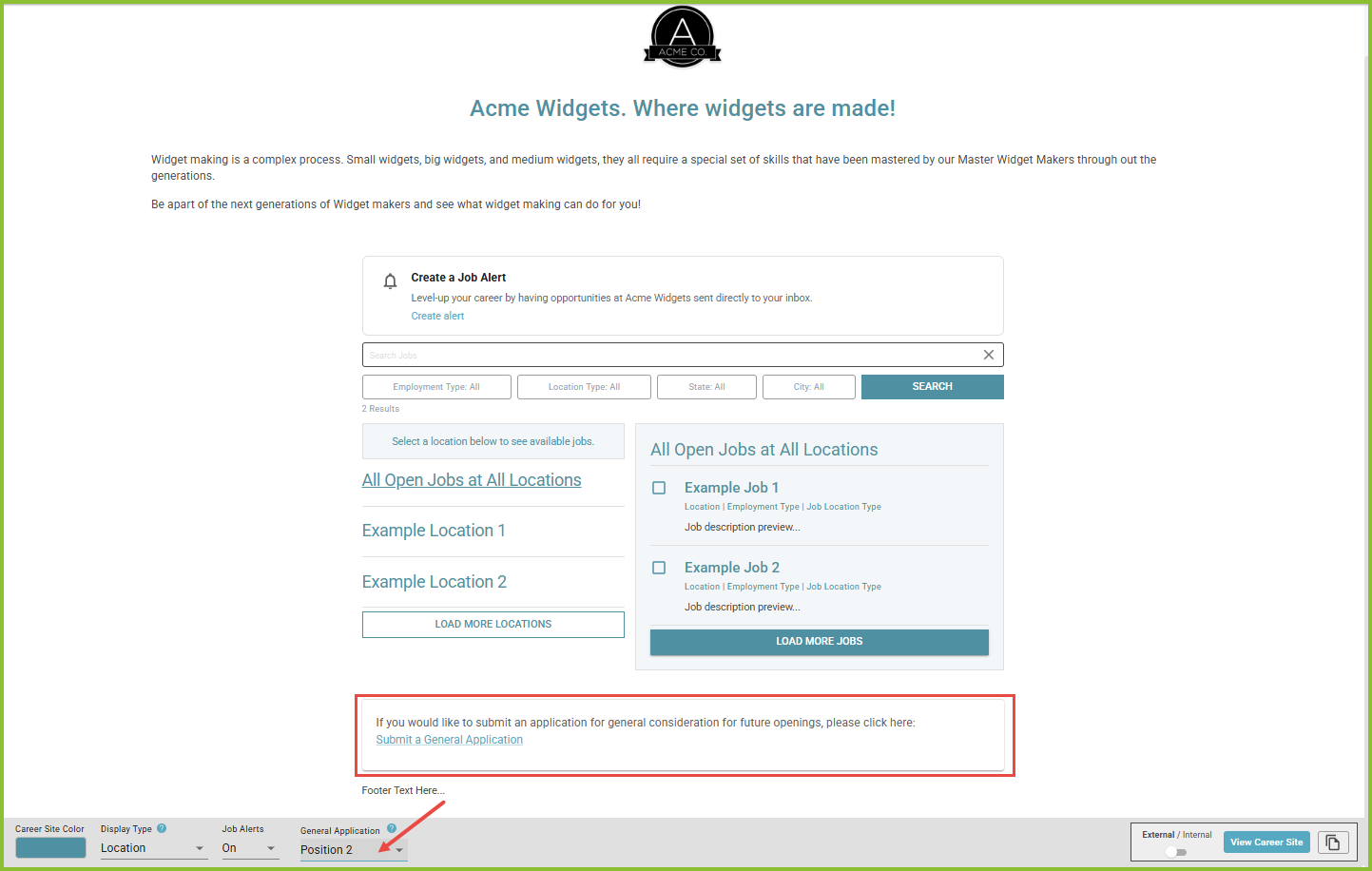
- Select the placement of the General Application widget:
- Position 1: above the open jobs list
- Position 2: below the open jobs list (default)
- Modify the General Application Message: Introduction message shown to applicants.
- Modify General Application Link Text: Link that opens the application process.
Managing Received General Application
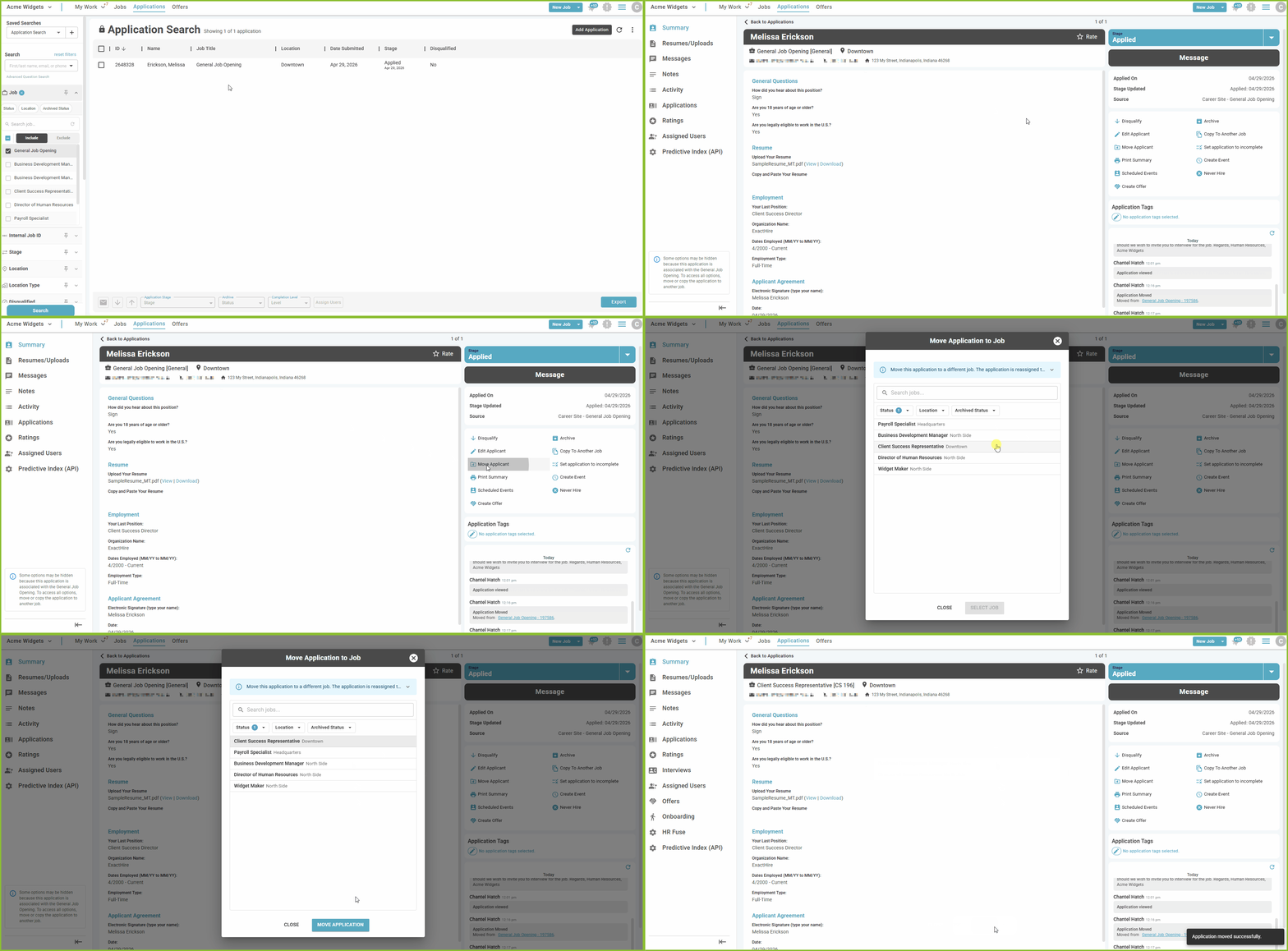
- Received applications are associated with a Source of “Career Site - General”.
- Received applications are found in the APPLICATIONS area and can be easily filtered and sorted along with other applications.
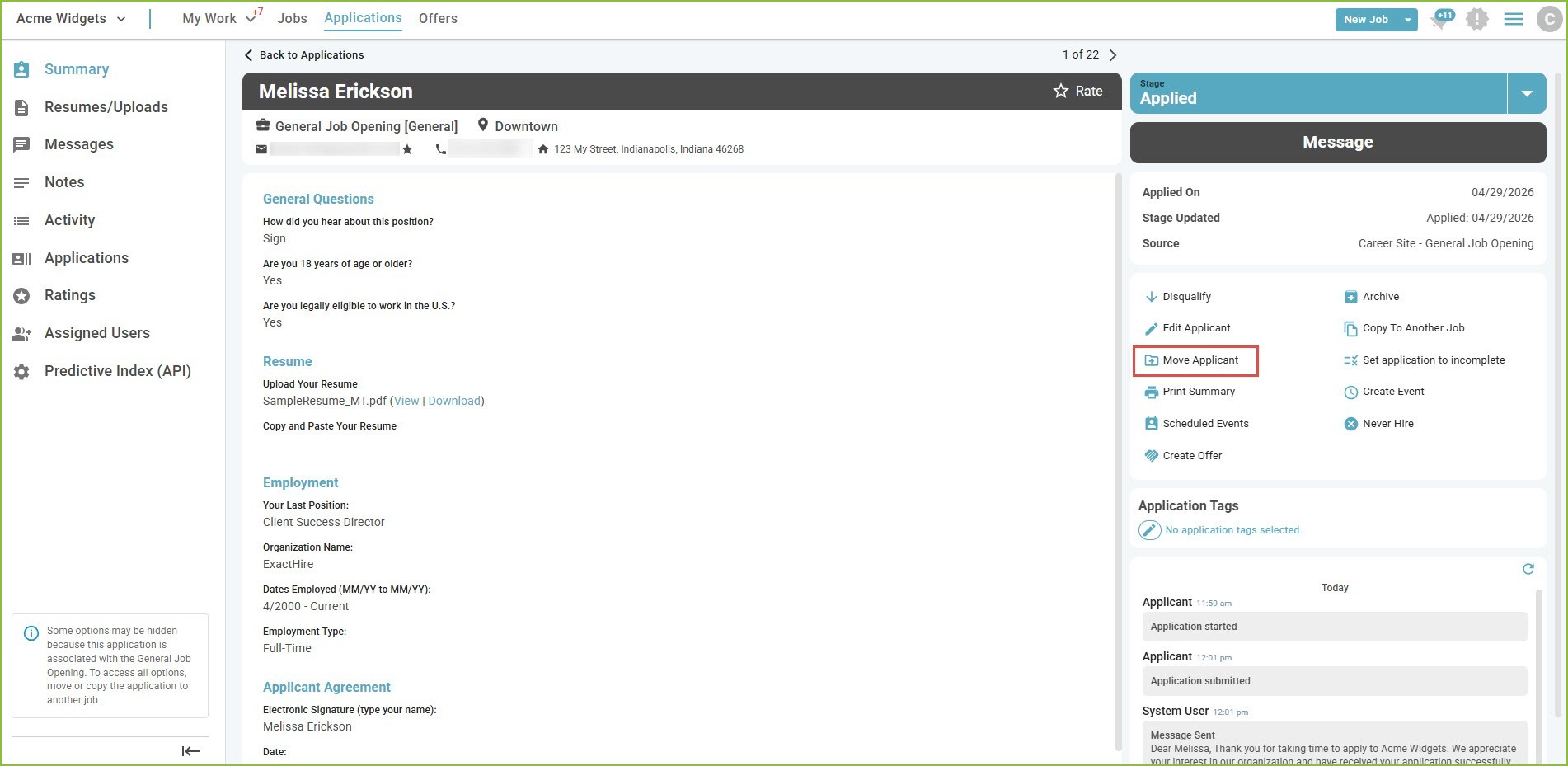
- When desired, move an application to a job using the Move Applicant tool found in the Application Details.
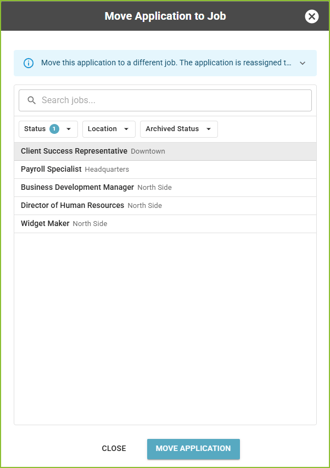
- Select the job that will receive the application and click MOVE APPLICATION.
Important Notes
- One General Job Opening per organization.
- General Job Opening is not shared to job boards.
- General Application widget appears only on the External Career Site.
- The General Application widget on Career Site is hidden when the job is in Draft status.
- The Job Approval process is bypassed when creating a General Job Opening.