Please note:
-
The following process can only be completed by the OWNER of the Indeed Employer Account.
-
This connection is required for applications submitted through Indeed Sponsored jobs to appear in ExactHire.
To connect the ATS to the Indeed Company Page follow the instructions below in the Indeed Employer Account.
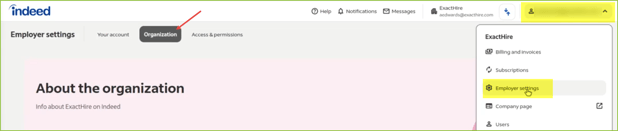
- Log into the organization's Indeed company profile as an administrator.
- Click EMPLOYER SETTINGS in the upper right menu.
- Click ORGANIZATION.
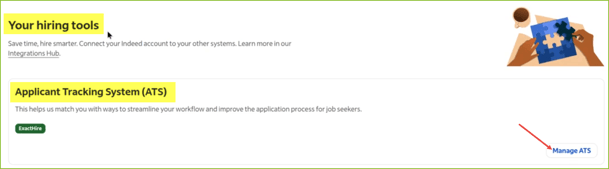
- Scroll down to find the YOUR HIRING TOOLS section.
- Locate the Applicant Tracking System (ATS) subsection.
- Click Manage ATS in the bottom right corner of that subsection.
-
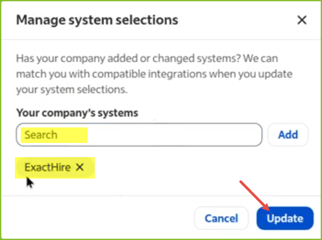
- A modal titled Manage System Selections will appear.
- In the search field type ExactHire (capital E and capital H, one word).
- Click the ExactHire result to select.
- Click Update.
- ExactHire will be displayed in a green chip on the page. This confirms Indeed is successfully connected to ExactHire.