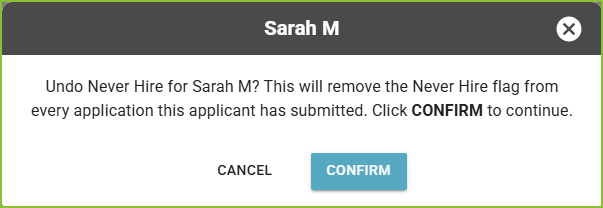
Once applied, the Never Hire label will appear on all of the applicant’s records—past, present, and any future applications.
Role Permissions
To apply this label, users must have the Set Applicant to Never Hire permission. Users with the Undo Applicant Never Hire permission can remove the label if needed.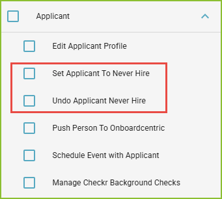
- Applications labeled as Never Hire and will remain in their current Application Stage and/or Disqualification status.
- By default, Never Hire applications are hidden in the Applications view. Use filters to include and view these applicants when needed.
To Locate Applications with the Never Hire Label
-
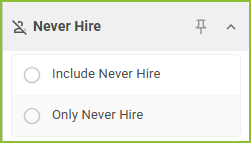
Use the Never Hire filter to include and view applications marked with the Never Hire label.
Assign the Never Hire Label
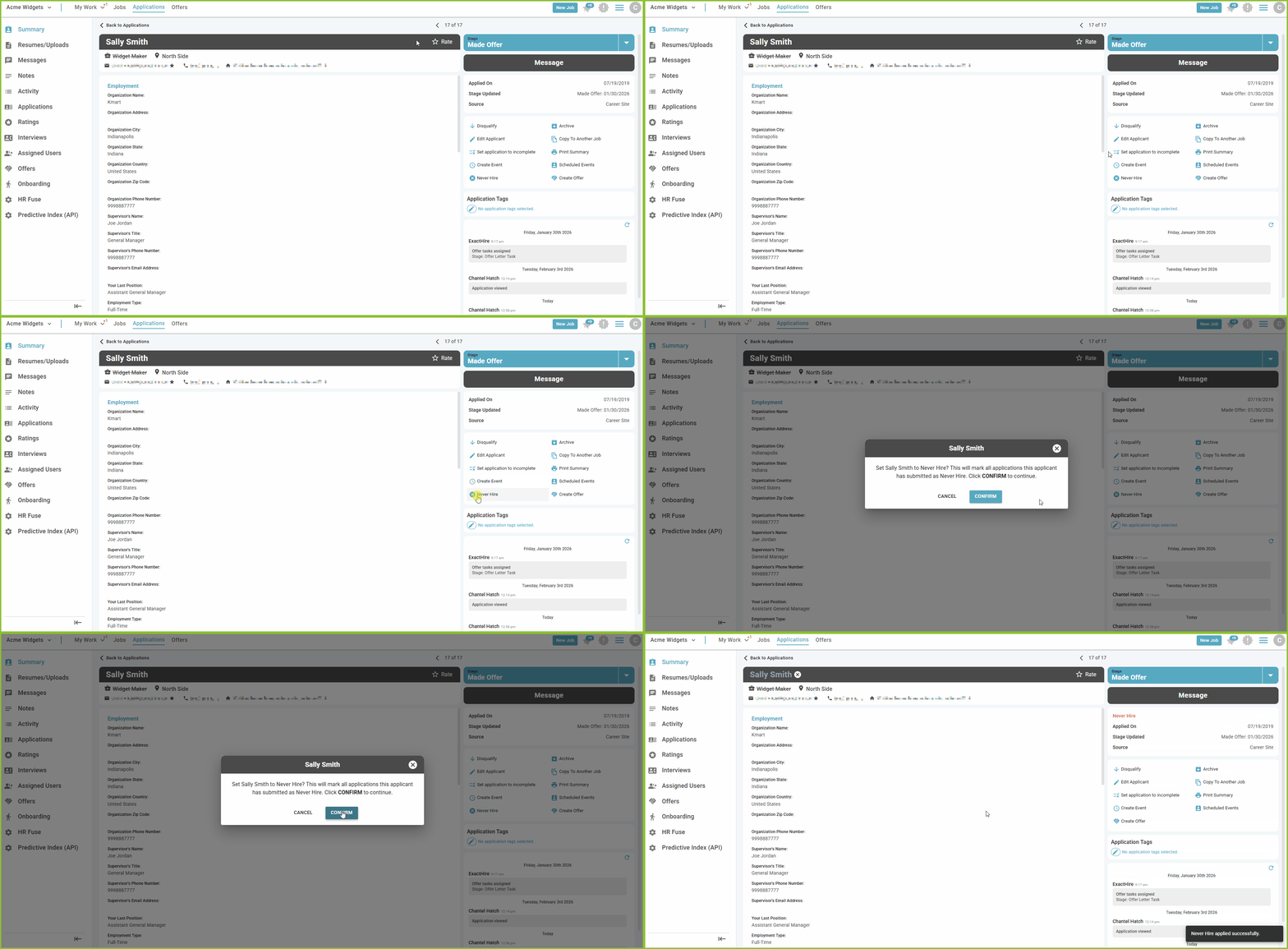
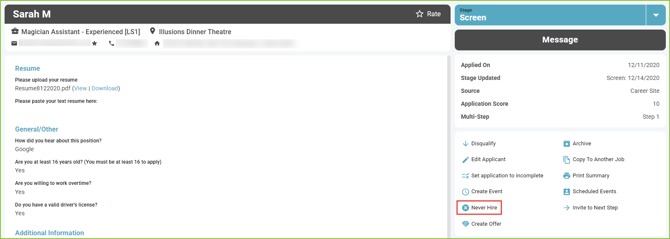
- Within the Application Details, users can assign the Never Hire label to an applicant. Click Never Hire.
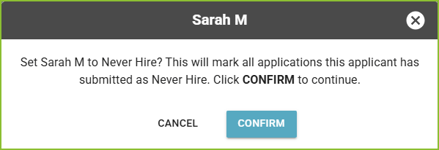
- Click CONFIRM to mark the applicant as Never Hire.
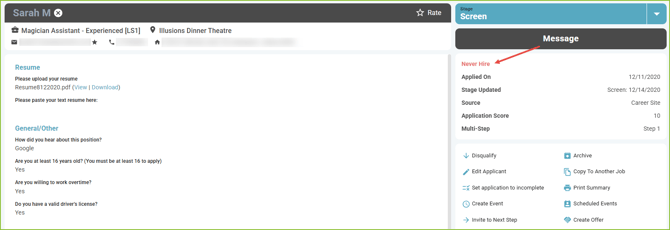
Assign the Never Hire Label in addition to the Disqualify
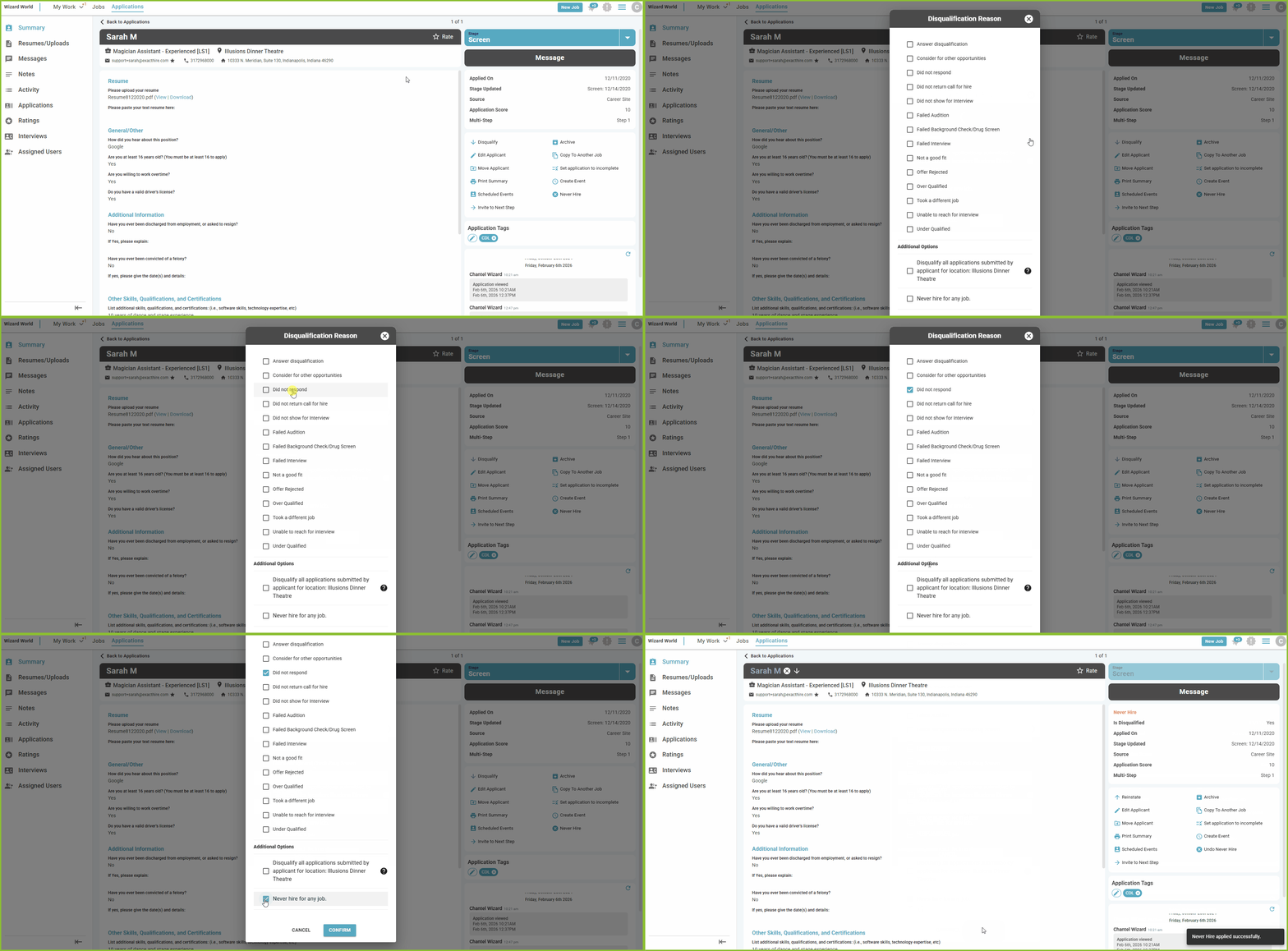
- Within the Application Details, users can assign the Never Hire label when disqualifying an applicant.
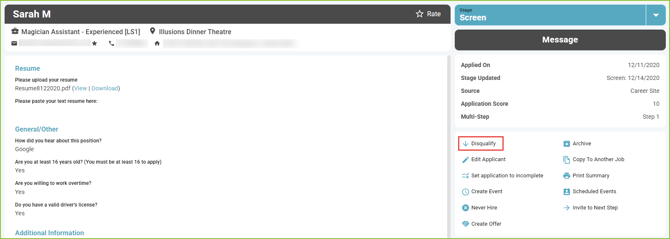
- Click Disqualify.
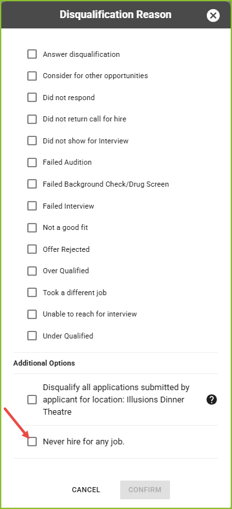
- Select at least one Disqualification Reason.
- Choose whether to disqualify all applications submitted by the applicant for the specified location and/or mark the applicant as Never Hire for any role.
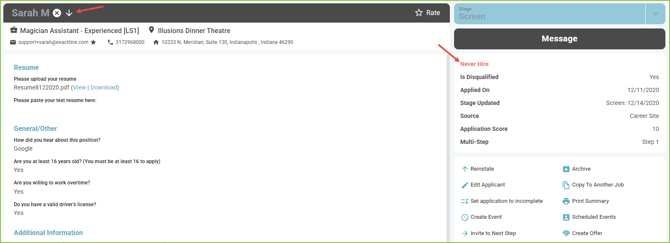
- The application will be labeled as Disqualified and Never Hire, while retaining its current Application Stage.
Undo the Never Hire Label
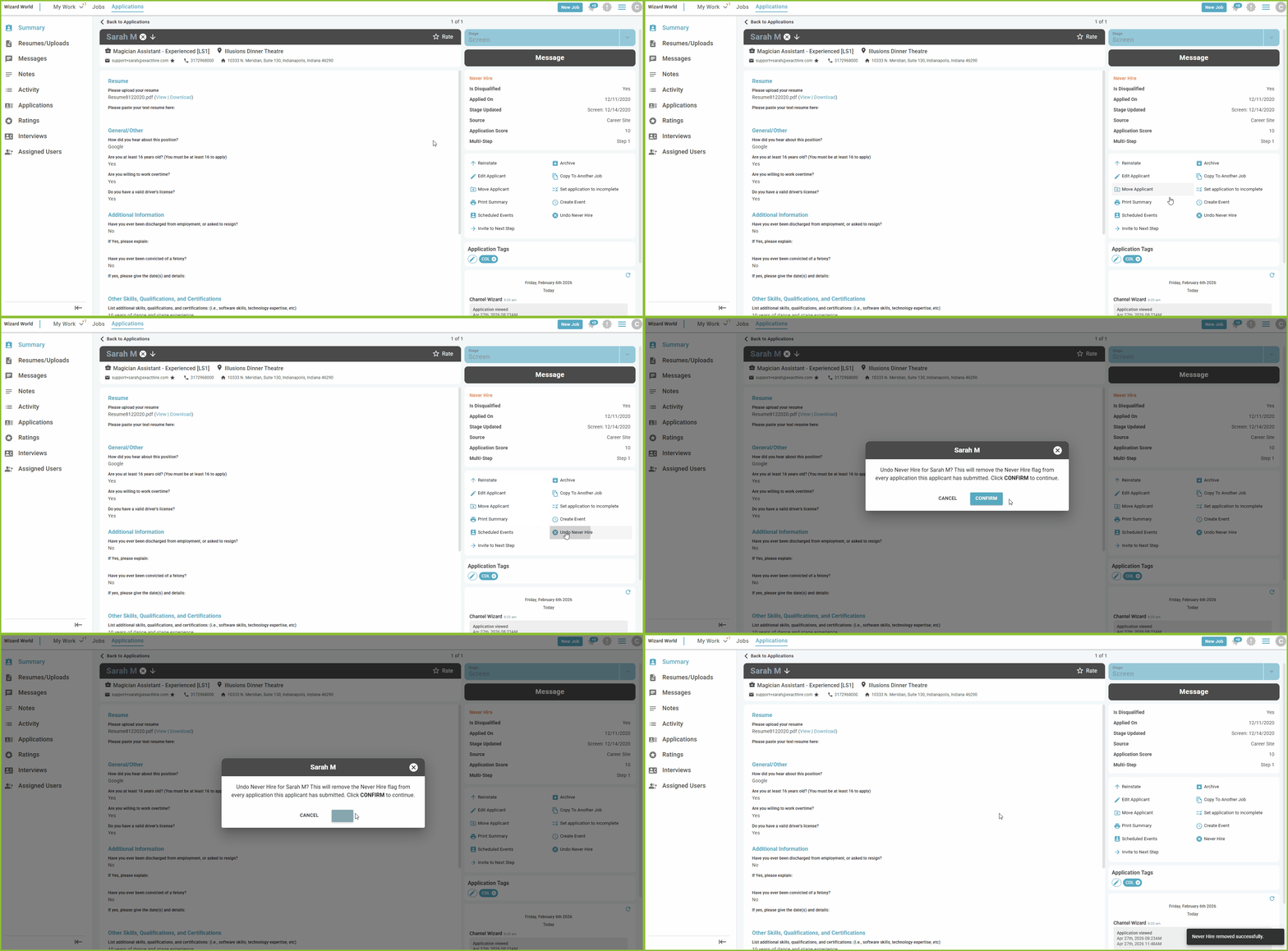
- Within the Application Details, users can undo the Never Hire label on an applicant. Click Undo Never Hire.
Please Note: Once applied, this label will appear on all applications associated with the applicant—past, present, and future.
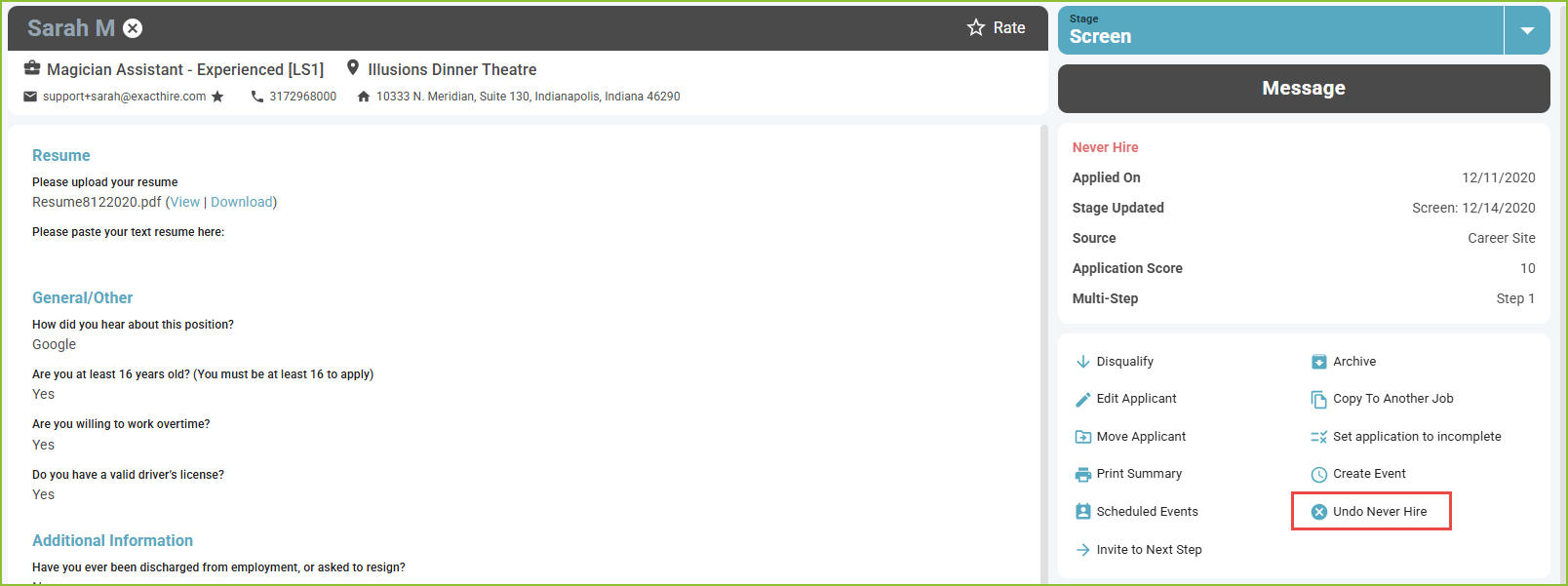
- Click CONFIRM to remove the applicant Never Hire label.