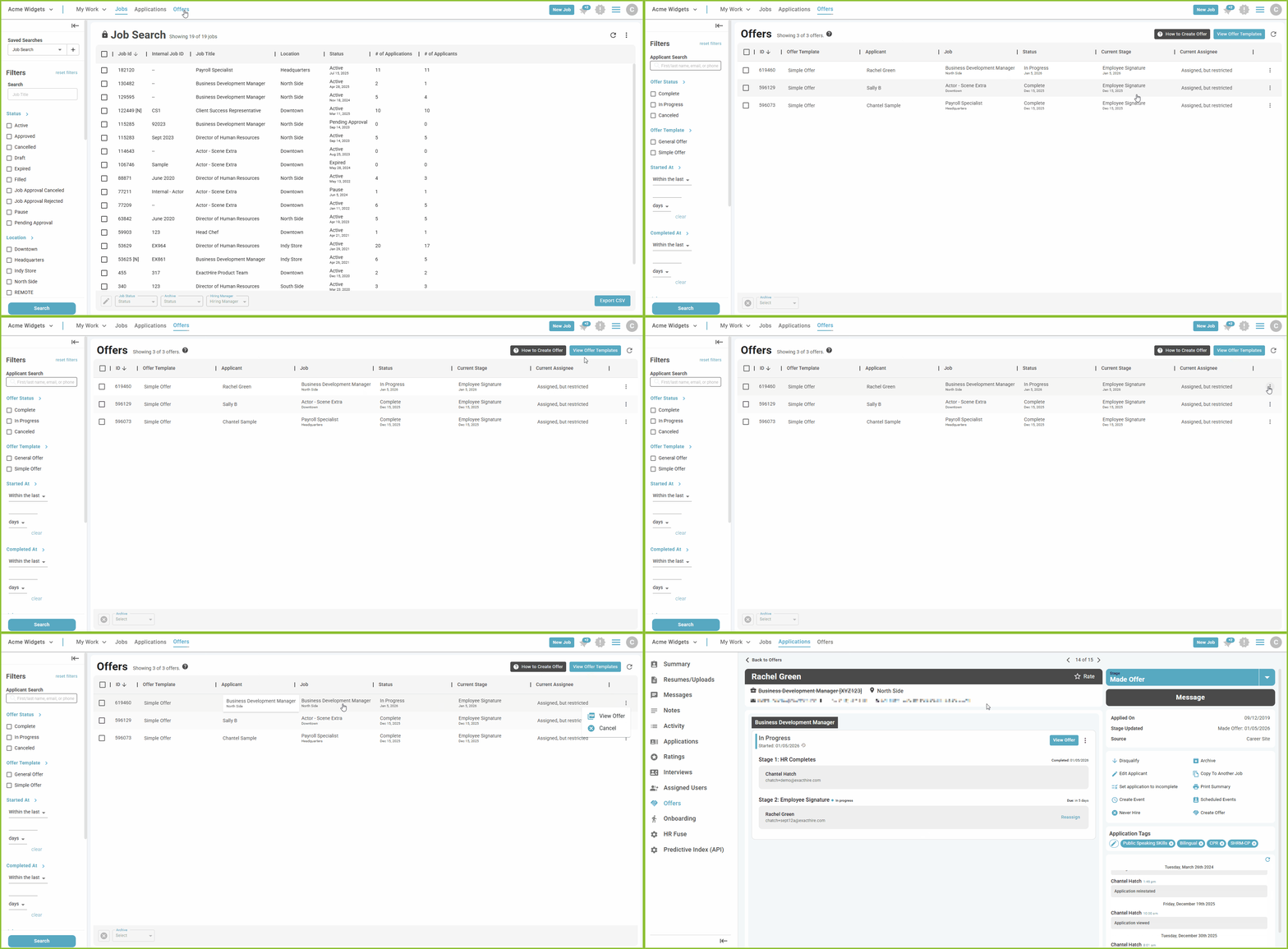
- Use the prompts for instruction on How to Create an Offer or View Offer Templates.

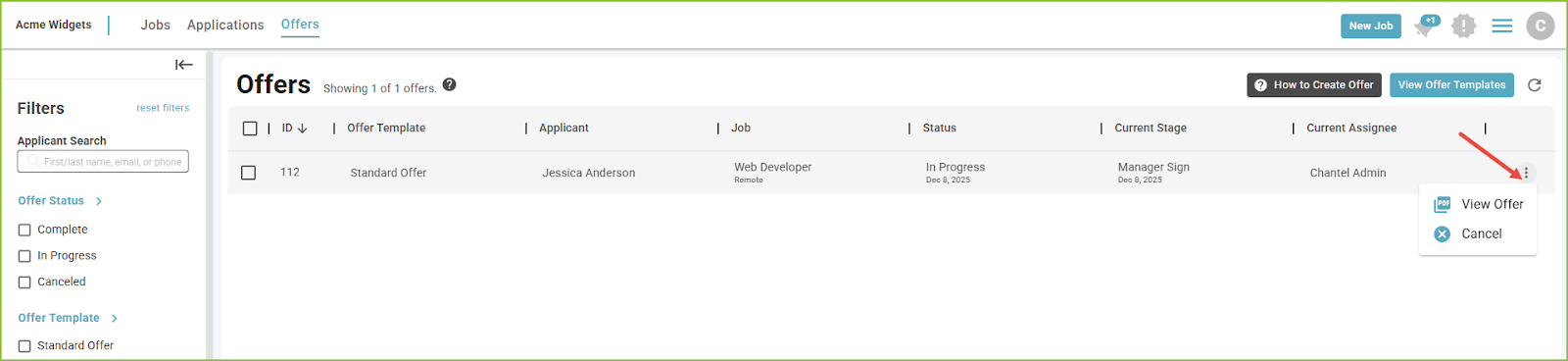
- Easily view the status of the Offer including the Current Stage. Use the More Options menu to View the Offer PDF and/or Archive the Offer.
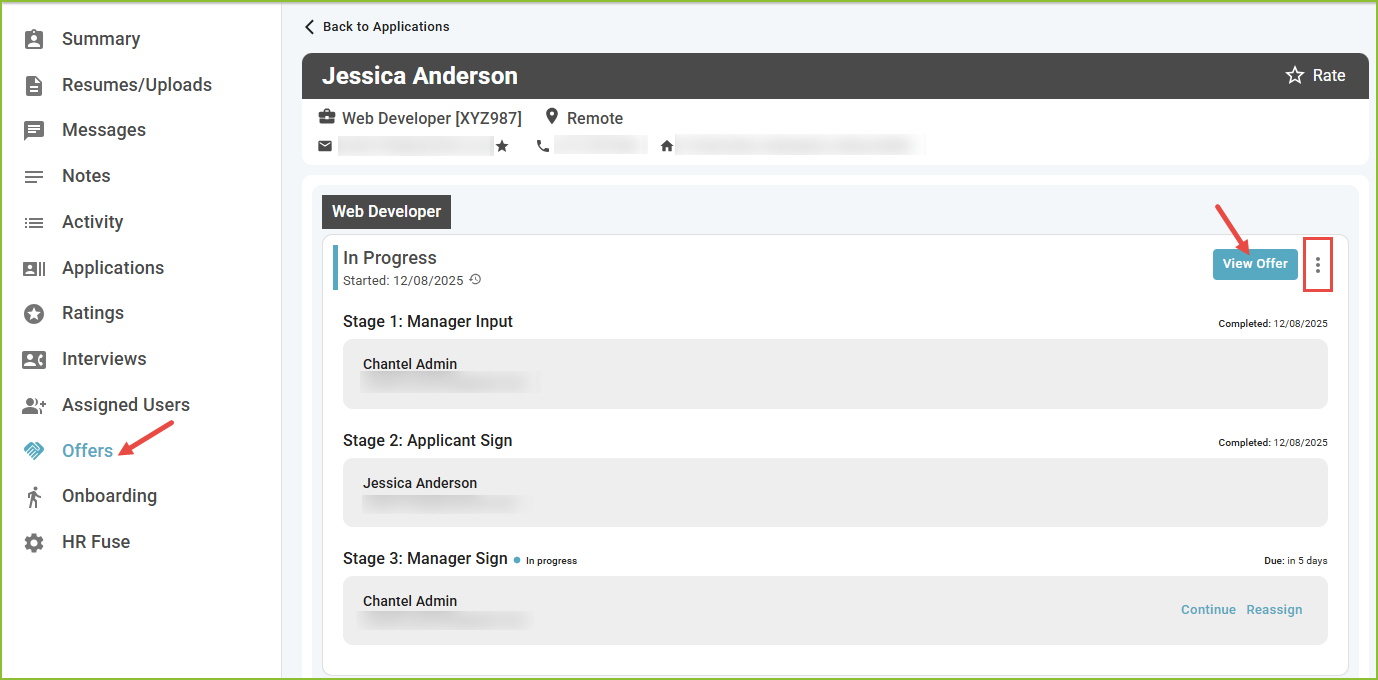
- To view the details of the Offer click on the Applicant name. The Offers tab of the Applicant Record will provide detailed information about the workflow stages, ability to View Offer PDF, and Archive.