
To enable this feature for your account, please contact our Client Success Team at support@exacthire.com.
Creating a ZipRecruiter Sponsored Ad
Once the ZipRecruiter Sponsored Job feature is active on your account:
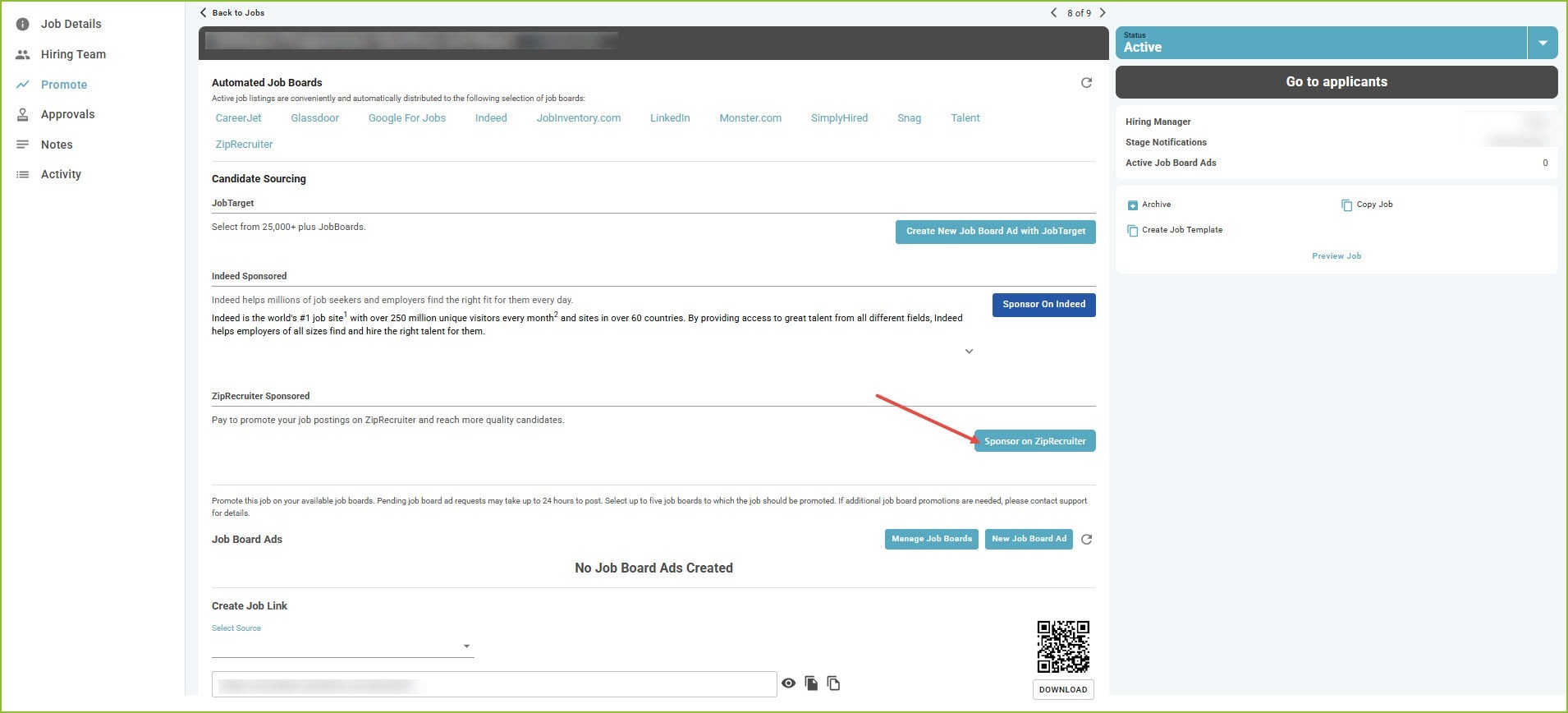
- Go to the Jobs view and use the available filters to locate your job.
- Click the job title to open the Job Details tab, then select the Promote tab.
- Click the Sponsor on ZipRecruiter button.
- Log into your existing ZipRecruiter account or create a new one.
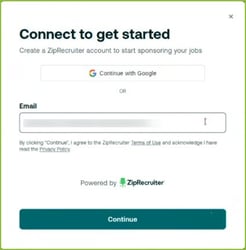
- Enter payment information and/or apply your pre-purchased job slots.
Note: The job must be in Active status to access the features on the Promote tab.
First-time customers automatically receive a $100 credit — no promo code needed!
Pausing a ZipRecruiter Sponsorship
To pause your ZipRecruiter Sponsorship at any time, click Pause ZipRecruiter Sponsorship and confirm when prompted.