
Available with any of the following plans, except where noted:
Professional, Advantage
Build the Instant Interview Guide applicants answer: the questions, whether each one is answered by video, audio or typing, and how much time and how many retakes each answer gets.
Before you start
-
Your organization must have Instant Interviews turned on. Instant Interviews are turned off until ExactHire turns them on for your organization. To start using them, submit a support request.
-
Your role needs the Manage Interview Guides permission.
Open your interview guides
-
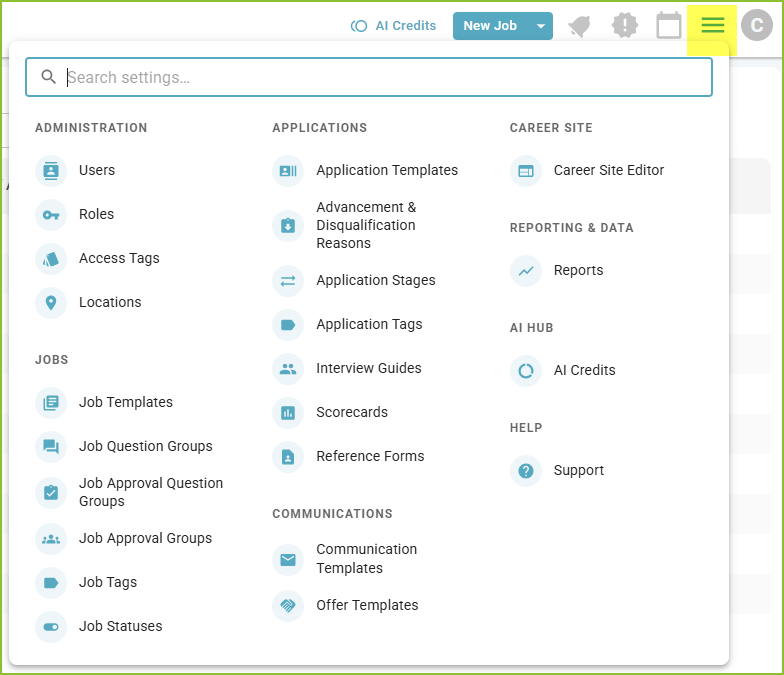
Go to Settings.
-
Under Applications, click Interview Guides.
Instant Interview Guides are listed with your other interview guides. Use the Type filter and choose Instant Interview Guides to see only those.
Create an Instant Interview Guide
-
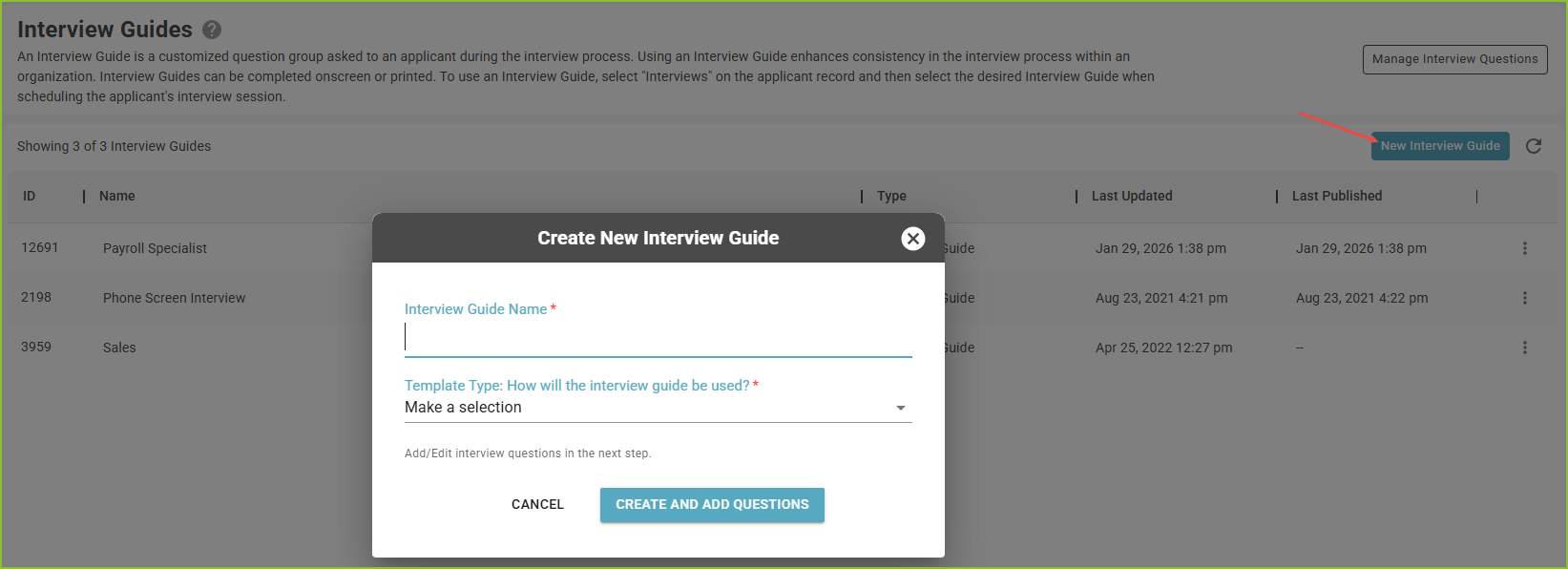
Click New Interview Guide.
-
Enter an Interview Guide Name.
-
Under Template Type: How will the interview guide be used?, choose Instant Interview Guide.
-
Click Create and Add Questions.
Add questions
-
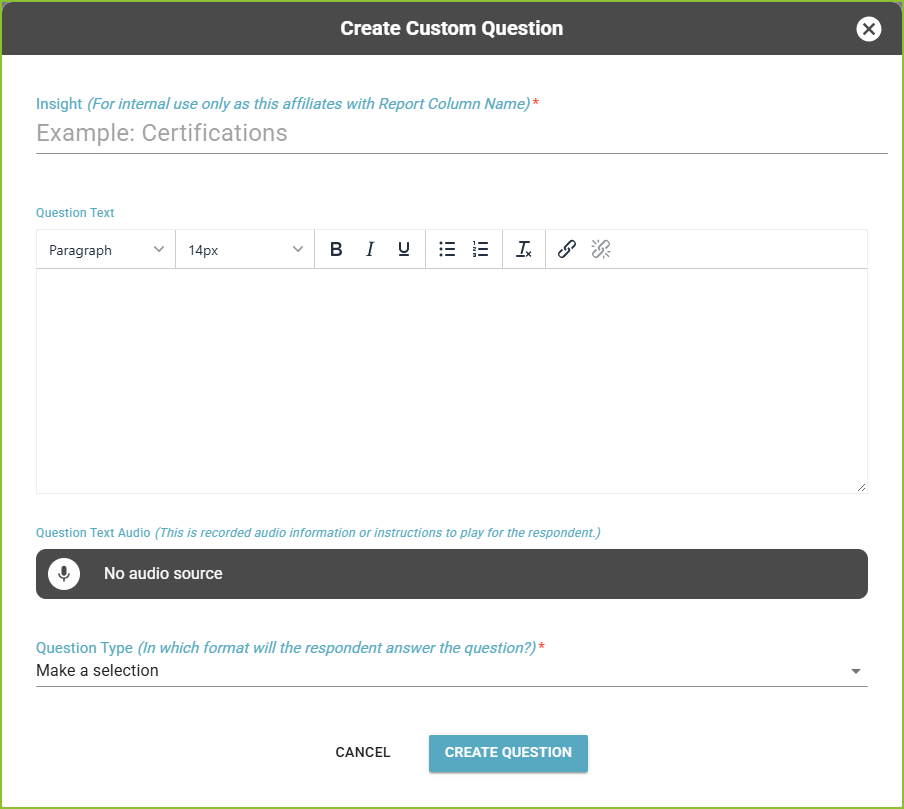
Add questions from the question library to the guide.
-
To write a new question, or to edit the library, click Manage Interview Questions on the interview guide list.
-
Drag the questions into the order applicants will answer them.
A question's type decides how the applicant answers: Video Recording, Audio Recording, or a typed answer. The library includes a group of ready-made Instant Interview Questions: a Sound Test (audio), a Video Introduction (video) and a Personal Statement (typed).
Set the timing for each recorded question
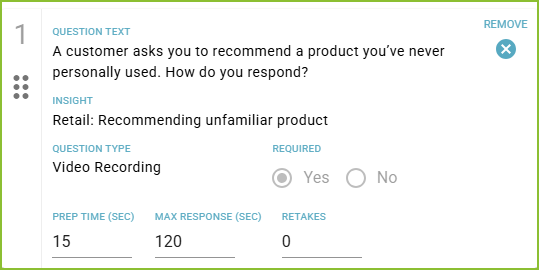
Each video or audio question has these settings:
-
Prep Time (sec): how long the applicant has to read the question and prepare before recording starts. The default is 15 seconds, up to 120.
-
Max Response (sec): the longest an answer can be. The default is 120 seconds, from 30 to 600.
-
Retakes: how many times the applicant can discard an answer and record it again. The default is 0, up to 5.
You can also add Question Text Audio, a recording of the question or instructions that plays for the applicant.
Starting the guide with the Sound Test question lets applicants check their audio before the questions that count.
Save and publish
-
Save Draft keeps your changes without changing the guide applicants receive.
-
Publish makes your changes live.
Next, send the interview to an applicant. See Instant Interviews - Send.
Still need help? Submit a support request and our team will get back to you.